Gitwyn
Gitwyn · Native Git Client for Xcode · macOS 26+
Supercharge Git
workflow in Xcode.
A native macOS Git client for Xcode - the git overlay that opens right beside your code, with the git tools Xcode always needed.
Requires macOS 26 or later
Every feature in Gitwyn, in under five minutes.
Work with Git without leaving Xcode.
Press⌘⇧Ein any Xcode window to get started.
Gitwyn automatically detects the git repository, files and changes in your active Xcode project - always in context, so you never have to leave Xcode or alt-tab to a separate git client.
It reads your Xcode theme too. Every diff is drawn in the colours and font you already chose - your keywords, your strings, your comments, down to the bold ones - so the code in Gitwyn looks like the code in the editor behind it, not like a screenshot of somebody else's.
Commit messages
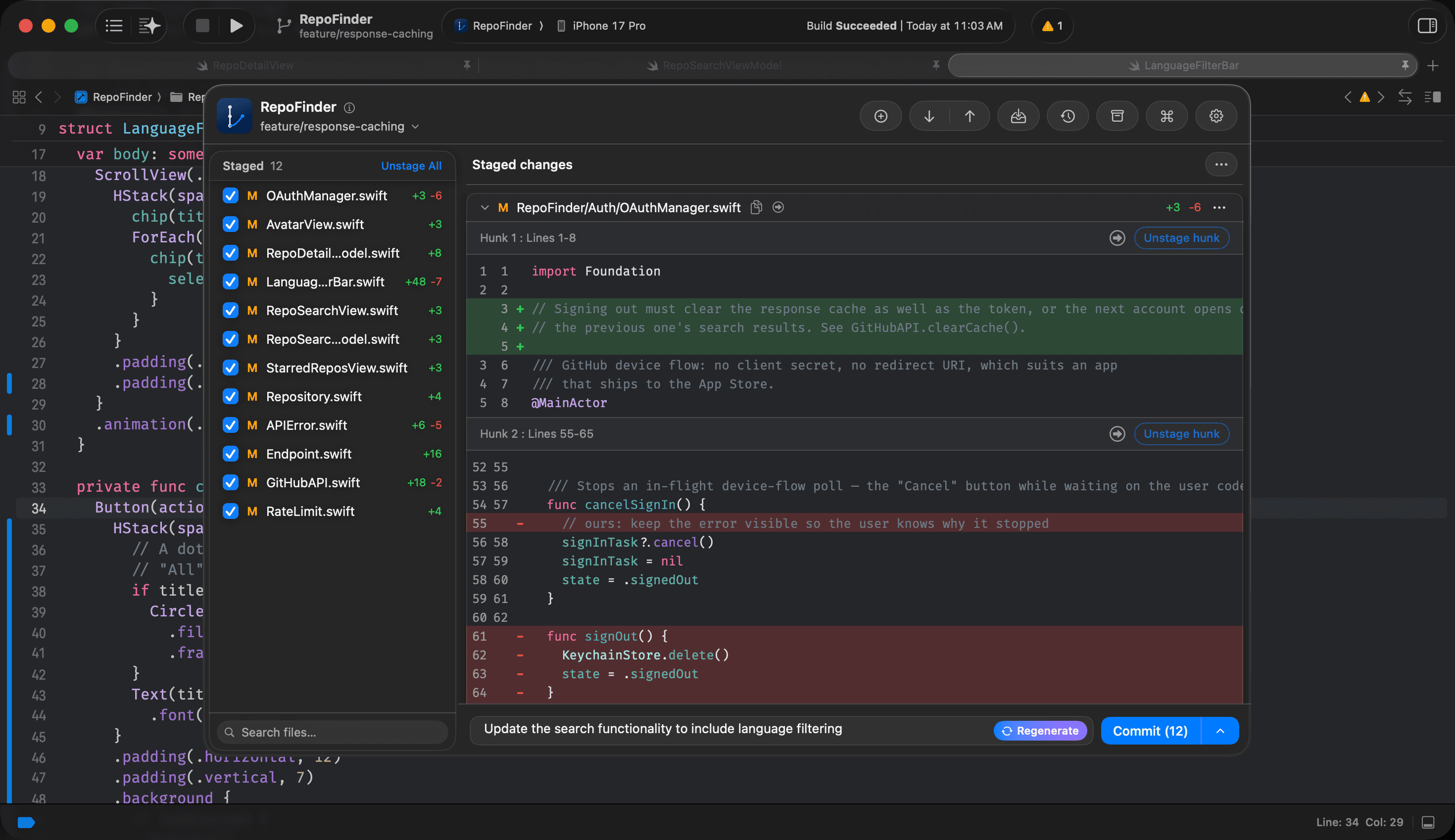
AI generated commit messages
Press Generate and Gitwyn drafts the message from what you actually staged. It runs on Apple Intelligence, on your Mac - no API key, no account, and the diff never leaves the machine. What you get is a draft in the box, not a commit: edit it, regenerate it, or type over it.
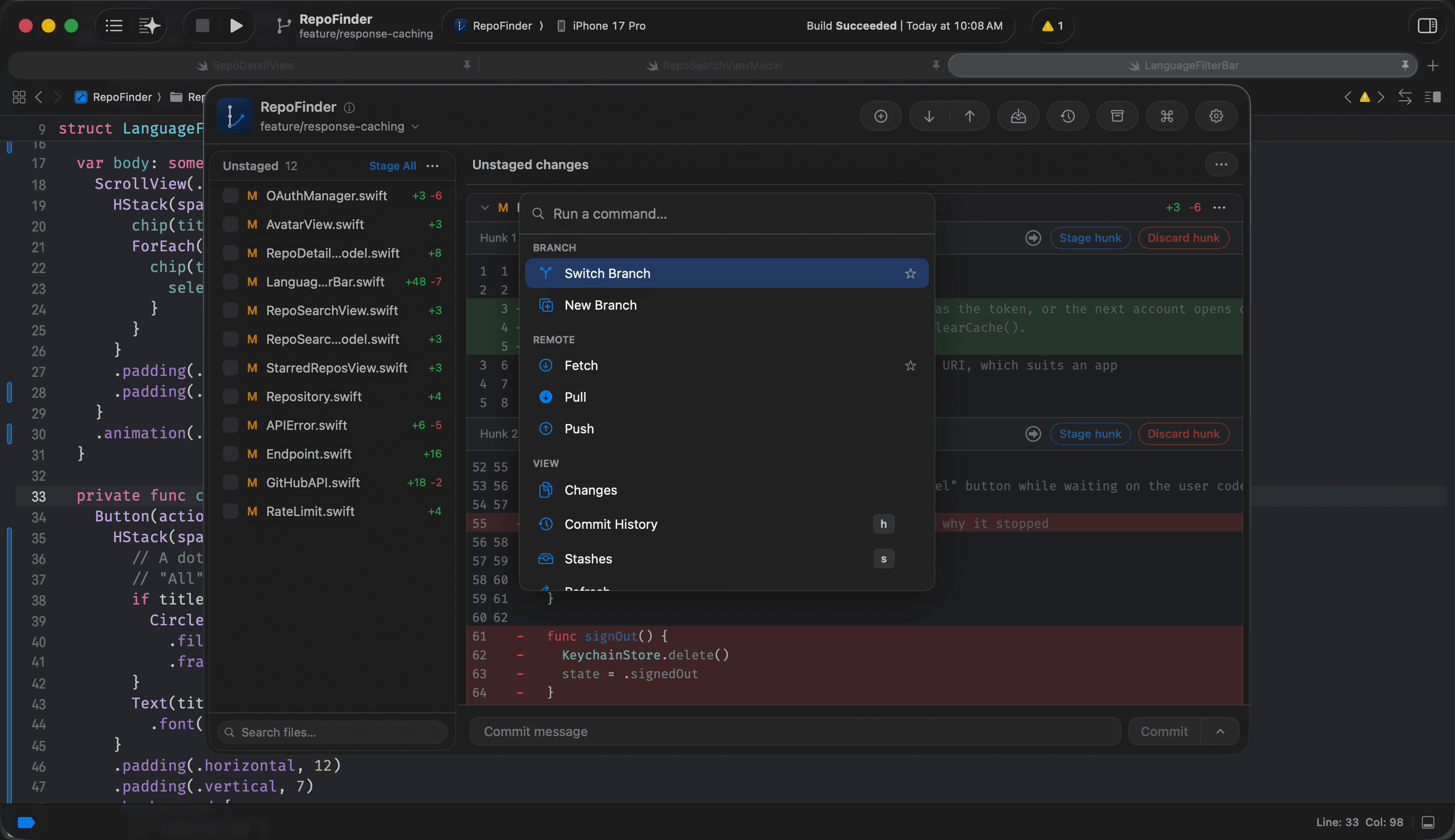
Command panel
Keyboard driven navigation for productivity
J and K walk the files, space stages the one you are on, C jumps to the message box. You do not have to remember any of that - press ⌘P and every command in the app is there with its shortcut sitting next to it, so the keyboard is discoverable instead of something you look up.
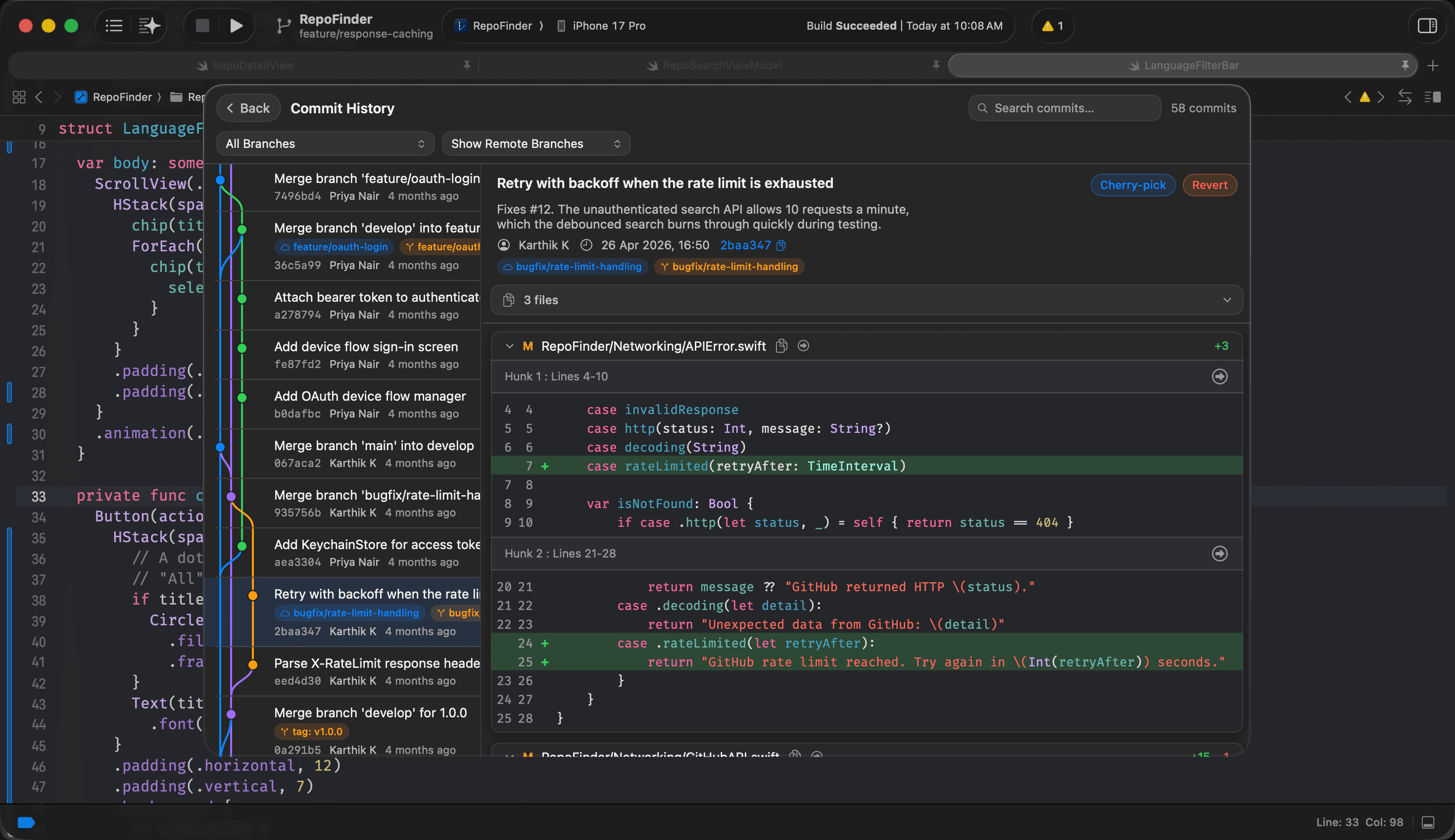
History
Full commit history with graph
Browse the full commit graph with infinite scroll - complete messages, authors and branches, with a per-commit diff for every change. Search by message, author or hash, then branch, reset, cherry-pick or revert straight from the graph.
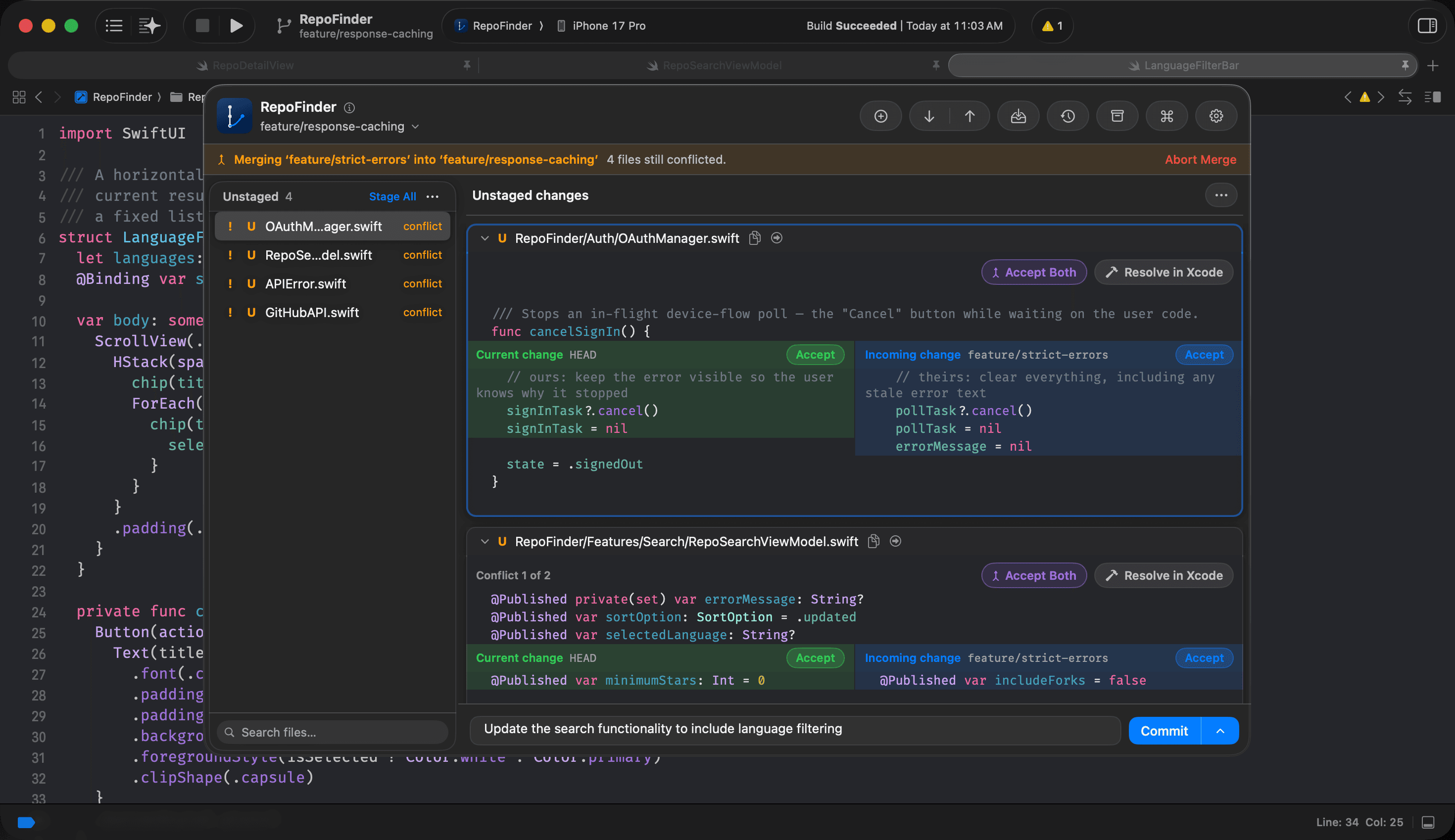
Conflicts
Resolve merge conflicts without leaving Xcode.
Every conflicted file in one list, each hunk shown as current versus incoming with an Accept button on either side. Take one, take the other, or open the file in Xcode for the ones that need real thought - then commit the merge from the same panel.
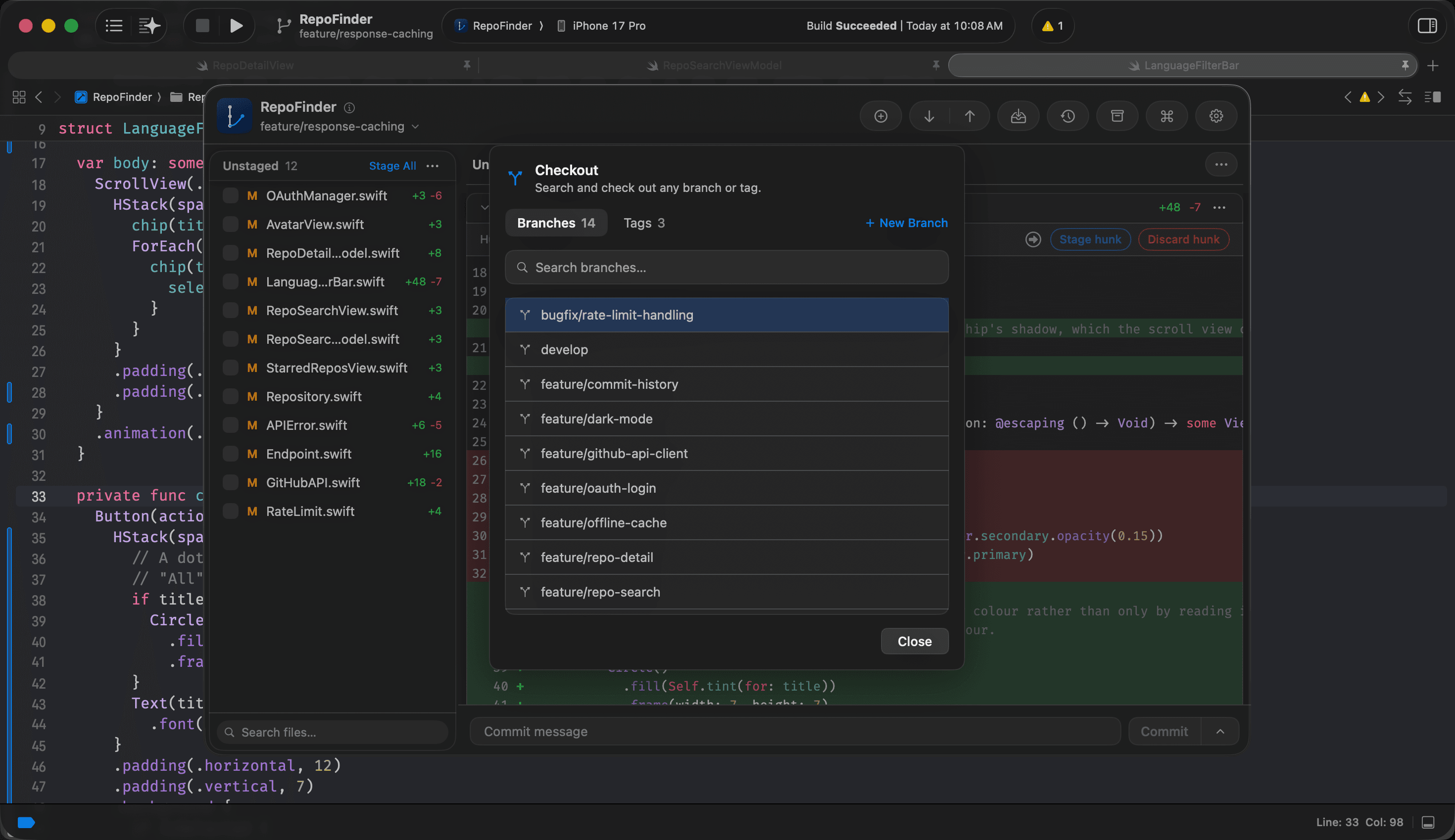
Checkout
Switch branches without breaking flow.
Search and check out any branch or tag from a single command palette - no terminal, no dropdown hunting in Xcode's source control menu. Just start typing and jump.
Stash
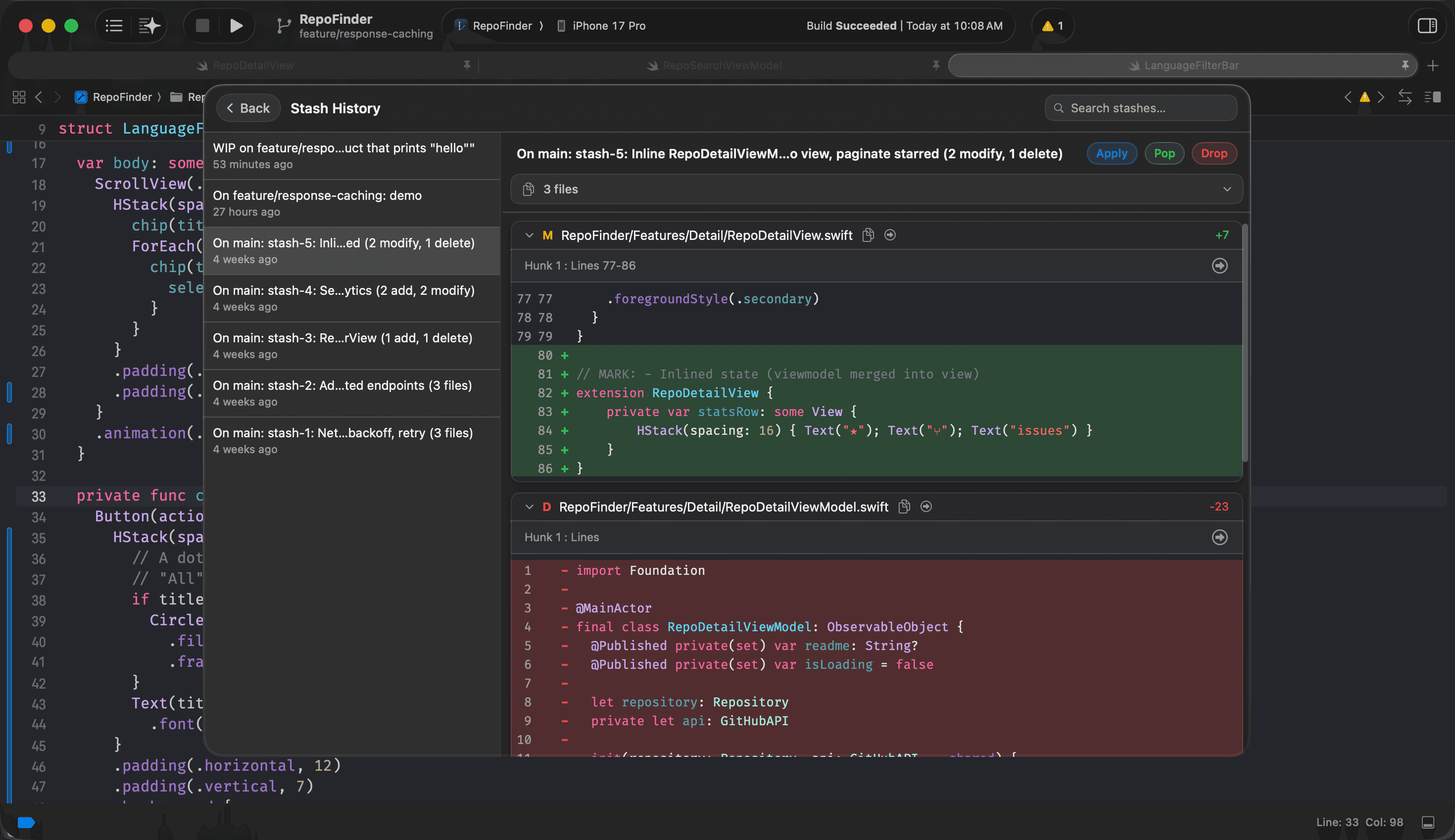
Every stash, named and waiting.
Shelve work-in-progress with a real name and see exactly what's inside - files, hunks, add and delete counts. Apply, pop or drop from a list that actually tells you what you saved.
Settings
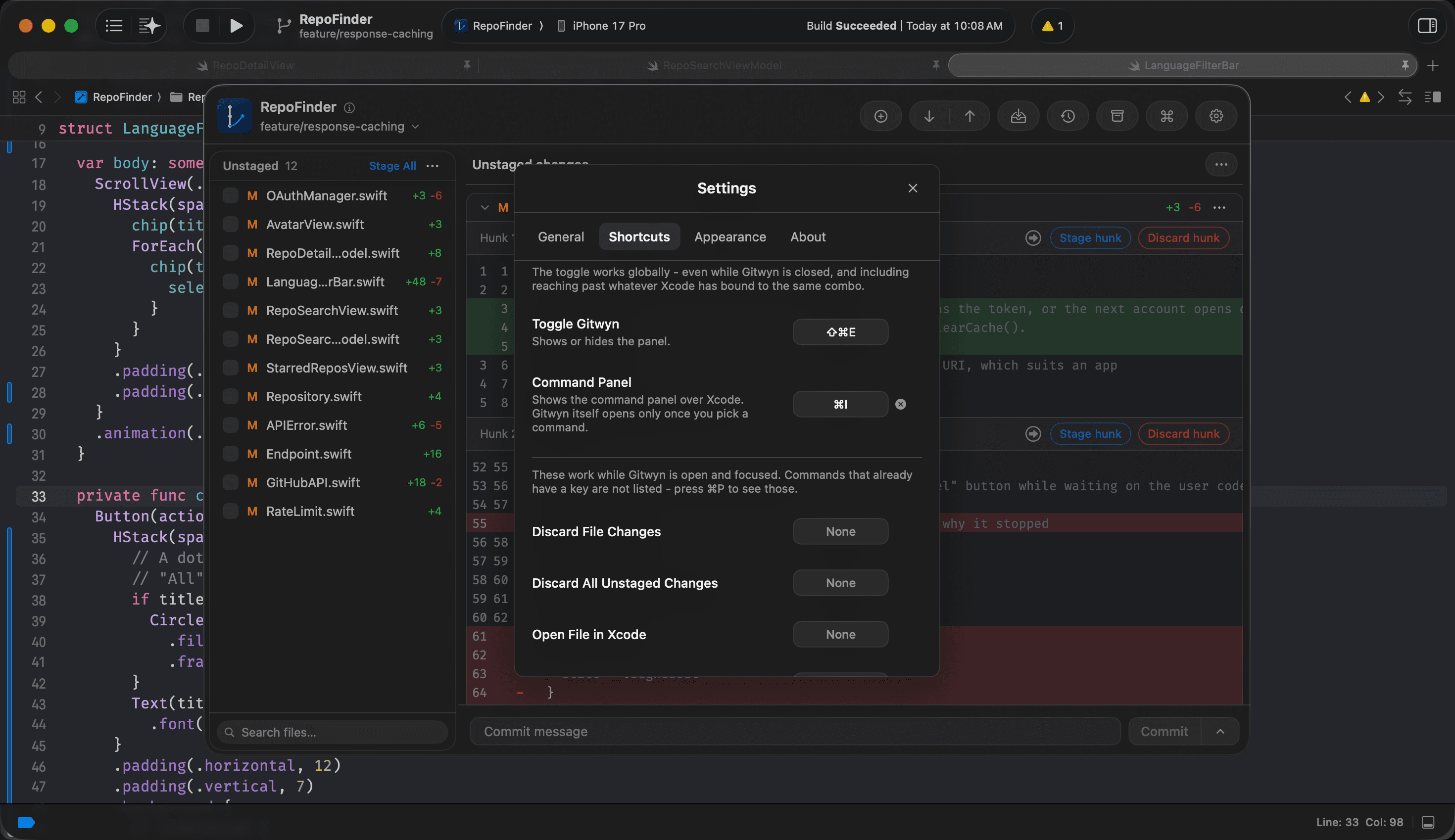
Settings and customisation
Every action in Gitwyn has its own shortcut here, including the one that opens Gitwyn itself - so if ⌘⇧E is already taken on your Mac, change it. Font size, diff mode and how the panel behaves live in the same place.
Free · macOS 26+
Get it now, in your Xcode
Requires macOS 26 or later
Support Gitwyn
If Gitwyn has saved you a trip to the terminal or another Git client, a coffee helps cover the Apple developer account, the code signing and the hours behind each release.